
Business web design is the design and development of a website whose job is to win customers: it states what the business does in seconds, earns trust fast, and turns visits into calls, bookings, and sales. The short version: a business website is a sales tool that happens to look good, not a brochure that happens to be online. This guide covers what a business website must include in 2026, what it honestly costs in the US, whether to DIY or hire, and the questions and red flags that separate a good web design company from an expensive mistake.
We have built websites for businesses since 2015, more than 150 projects across the US, UK, and UAE, and the pattern never changes. The businesses that treat the site as a revenue asset get one. The ones that treat it as a checkbox expense get a checkbox. Everything below is written from that experience: what to demand, what to pay, and what to walk away from.
What Does “Business Web Design” Actually Mean?
The phrase sounds like it just means “a website for a business,” but it carries a specific promise. Business web design means every design decision serves a commercial outcome: more calls, more bookings, more quote requests, more checkouts. A portfolio site shows work. A business website generates work. That distinction decides everything from the homepage headline to the size of the phone button on mobile.
It is also not the same as web design in general. A designer can make a beautiful page that fails as a business asset. A professional business website is judged on outcomes, not aesthetics. The usual failure has nothing to do with taste. The headline says “Welcome to our website” instead of what the company does. The phone number hides in the footer. The contact form asks for twelve fields. Nobody can find the site on Google because the technical SEO was never built in. Each of these is a design decision, and each one costs the business money every week it stays wrong.
In 2026 there is one more layer. Google's AI Overviews now answer many research questions directly on the results page, which means your business content has to be quotable, not just rankable. A business website that states its answers clearly, in plain language with real specifics, gets cited. One that hides behind vague marketing copy gets skipped by people and by machines alike.
What Should a Business Website Include in 2026?
Strip away the trends and eight things are non-negotiable. Miss any of them and the site leaks the customers your marketing worked to attract. Get all eight right and most businesses outperform competitors with prettier, more expensive sites.
1. A headline that says what you do in seconds
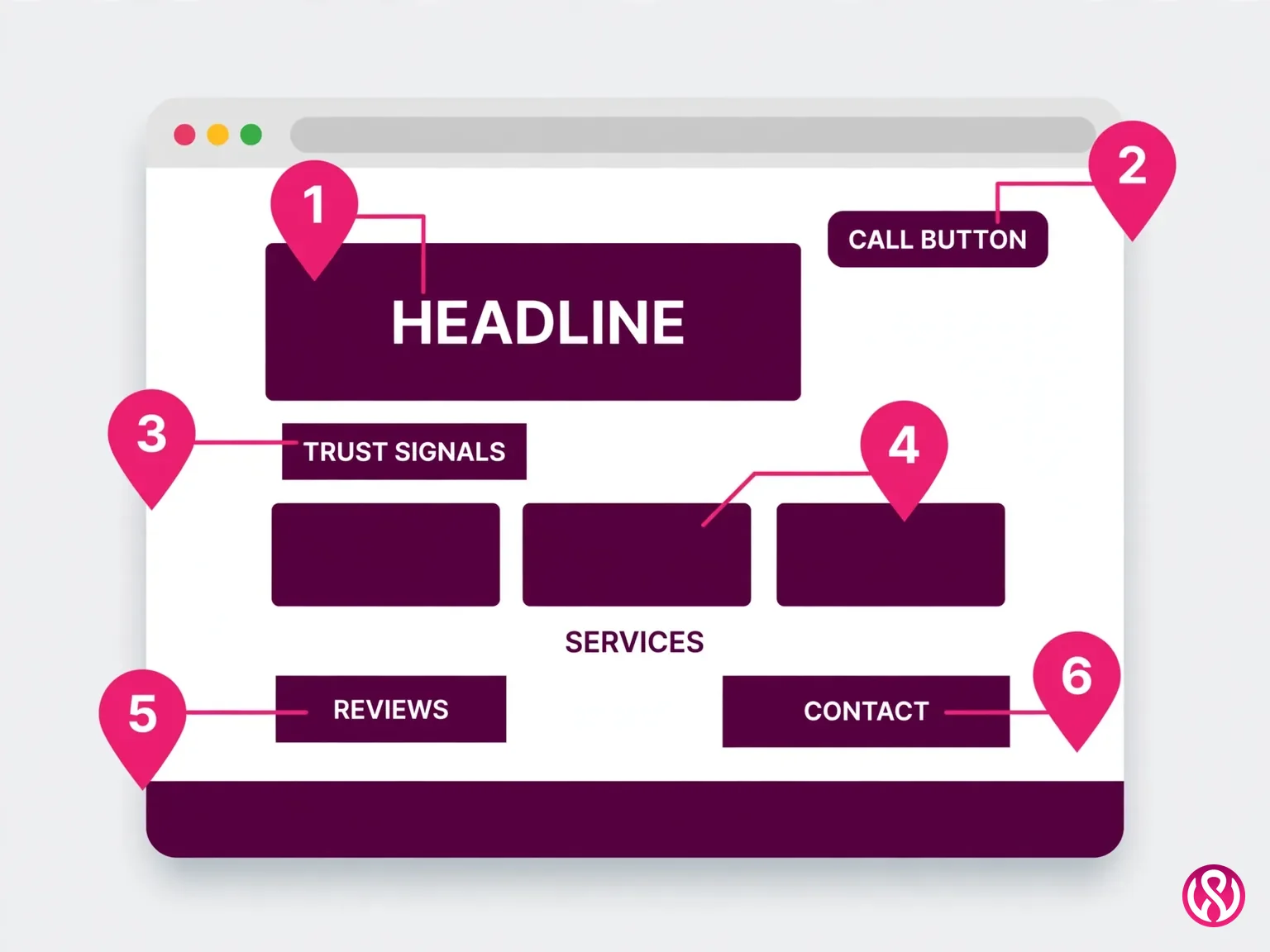
Within a few seconds of landing, a visitor should know three things: what you do, who it is for, and what they should do next. “Custom Kitchen Remodels in Denver” beats “Excellence Through Quality Since 1998” every time. Pair it with one clear call to action, “Get a Free Estimate” or “Book a Consultation,” and you have outperformed most small business websites before the visitor scrolls.
2. Mobile-first design
Most local searches happen on phones, so the phone experience is the experience. Responsive design means the layout adapts to the screen instead of merely shrinking, and buttons need to be thumb-tappable, text readable without pinching, and the phone number a tap-to-call link. A site that was designed for desktop and squeezed down to fit a phone is backwards. Our own builds start from the small screen up, which is why our responsive website design services treat mobile as the primary layout, not a fallback.
3. Real speed, measured the way Google measures it
Google grades real-world page speed with Core Web Vitals, its page-speed and stability scores: LCP (largest contentful paint, how fast the main content appears) should land within 2.5 seconds, INP (interaction to next paint, how quickly the page responds) at 200 milliseconds or less, and CLS (cumulative layout shift, how much the page jumps while loading) at 0.1 or less, per Google's own Web Vitals documentation. The usual business-site killers are page builders loaded with plugins, uncompressed hero images, and chat widgets that load before the content does.
4. Trust signals, not stock photos
Visitors decide whether a business looks legitimate in milliseconds. Real photos of your work, your team, or your space beat generic stock imagery. Attributed testimonials with names and companies beat anonymous five-star quotes. Case studies with measured outcomes beat adjectives. Our Falcon Ridge real estate project lifted traffic 285% and enquiries 60%; Carter Hearing's site rebuild lifted traffic 180% and bookings 45%. Numbers like these are what turn a claim into proof.
5. SEO built in, not bolted on
A site that cannot be found is an expensive business card. The on-page SEO foundations have to be there from day one: descriptive page titles (never “Home”), meta descriptions that sell the click, one H1 per page with a clean heading hierarchy, image alt text, and schema markup (structured data) so Google and AI assistants understand your business type, location, and services. For local businesses, add local SEO to the same list: a claimed and complete Google Business Profile, genuine reviews, and location pages where they earn traffic. Ask any designer you interview how they handle this. If SEO is “a separate service,” the build is working against you from launch day.
6. One obvious next step on every page
Every page needs a conversion path: call, book, request a quote, buy. Contact details should be easy to find, not buried. Forms should ask for the minimum that lets you follow up. That is conversion rate optimization in its simplest form: remove friction, clarify the next step, repeat. A page with no next step is a page that earns nothing, no matter how much traffic it gets.
7. Measurement from day one
Connect Google Analytics 4 and Google Search Console before the site goes live. You cannot improve what you cannot measure, and retroactive traffic data does not exist. Search Console also flags the technical problems (crawl errors, Core Web Vitals failures) that silently cost you rankings.
8. Security and maintenance basics
HTTPS (the SSL certificate that puts the padlock in the browser), updated software, regular backups, and a plan for who applies updates. A hacked business site does not just look bad; Google flags it, customers leave, and recovery costs more than the maintenance ever would. Our care plans run $99 to $399 a month for exactly this reason: updates, backups, and security monitoring are a subscription to not having emergencies.
How Much Does Business Web Design Cost in 2026?
The honest answer is that a “website” can mean a one-page brochure or a forty-page service site with an online store, so quotes vary wildly. The 2026 US market bands below come from NexaCraft Digital's October 2026 guide to small business website design costs, re-verified for this article. Treat them as planning ranges, not quotes: your scope decides where you land, and comparing business website design services gets easier once you know the bands.
| Build type | Typical US range | Best for |
|---|---|---|
| DIY builder (Wix, Squarespace) | $0 to $500 plus your time | Brand-new businesses testing an idea this week |
| Template site set up by a pro | $500 to $3,000 | Simple service businesses that need to look credible fast |
| Custom small business site (5 to 15 pages) | $3,000 to $15,000 | Established businesses that want the site to bring in leads |
| E-commerce store | $5,000 to $30,000+ | Product businesses selling online |
| Web app or custom platform | $20,000+ | Businesses with unique workflows or customer portals |
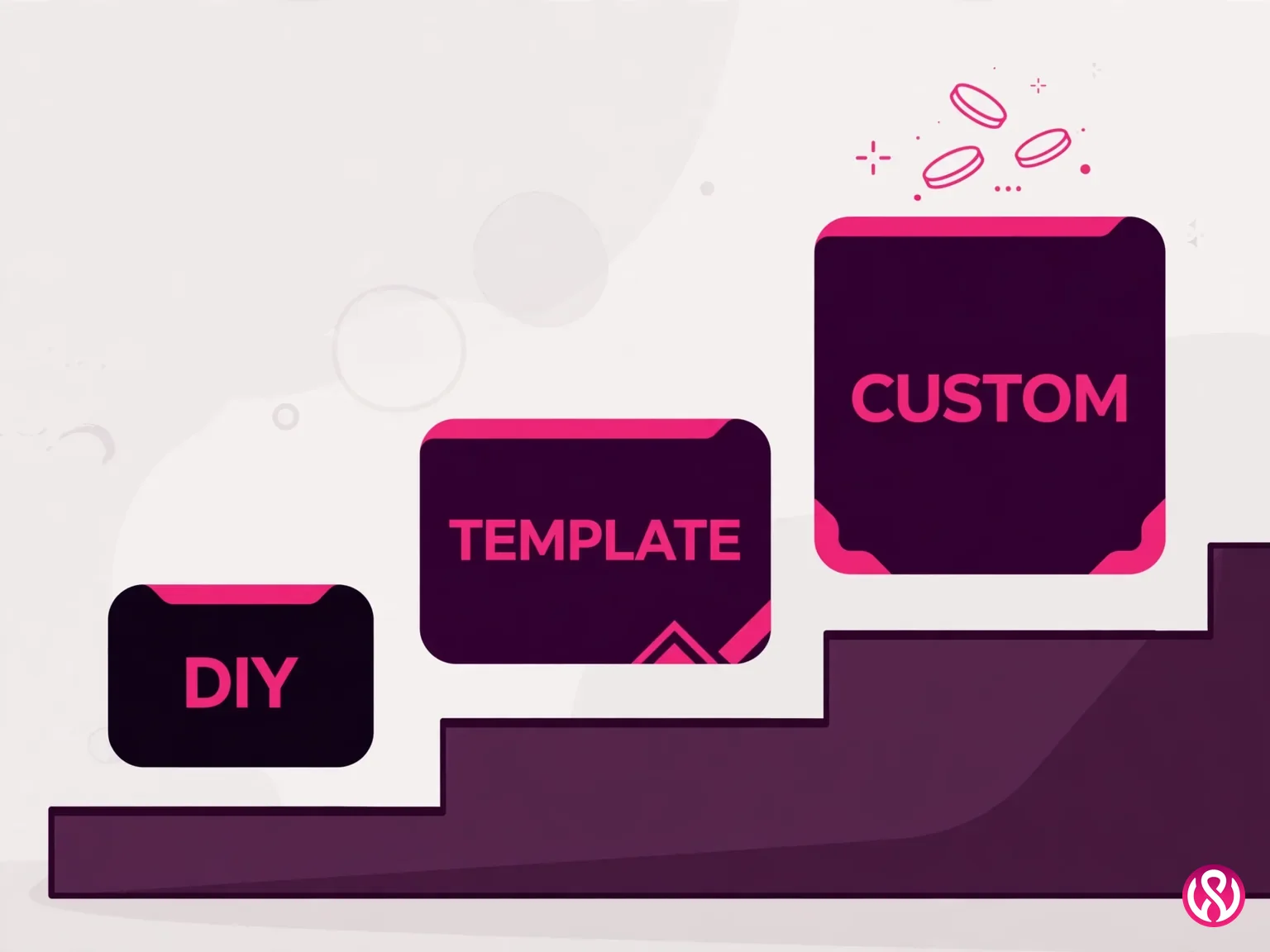
Then budget the part most quotes leave out: the recurring cost. Plan $300 to $3,000 a year for domain renewal, hosting, software licenses, security updates, backups, and new content. A site that looked great in year one and gets no maintenance is slow, outdated, or hacked by year three. The cheapest build is often the most expensive once you count the rebuild.
For comparison, our own published prices sit at the accessible end of the custom band: Starter at $799, Professional at $1,999, Enterprise from $3,999, fixed quotes with a 50% deposit. The full breakdown is on our pricing page. If your project needs selling online too, whether on Shopify, WooCommerce, or custom code, our ecommerce website design covers stores with the same fixed-quote approach. A detailed breakdown of how we scope trade business sites lives in our contractor website design cost guide.
What moves a quote up or down
Five things move the price more than everything else. First, the number of unique page designs: ten pages sharing one layout cost far less than five pages each designed from scratch. Second, who writes the copy: copywriting is the hidden cost of most projects, and supplying finished text and photos moves things faster and cheaper. Third, functionality: a contact form is simple, while booking systems, payments, quote calculators, and CRM integrations are real development hours. Fourth, design depth: a tuned template versus a custom design system built around your brand. Fifth, search readiness: technical SEO, schema, and fast load times cost a bit more up front and save an expensive rebuild later. Nail these five before you ask for a quote, and the numbers that come back will describe the same project.
What Does the Price Actually Include?
The number on the quote is only half the answer. The other half is what is inside it, and this is where two identical-looking quotes turn out to be very different deals. Three things to pin down before you sign.
Does the price include SEO?
Usually, only the foundations: technical SEO, meta tags, schema, and fast load times built into the pages themselves. That is what you want, and it is included in any competent build. Ongoing SEO, the monthly work of content, links, and local rankings, is almost always a separate service with its own fee. If a quote promises page-one rankings baked into a one-time design price, treat that as a red flag, not a bonus. You can read how we think about the two together on our website design and SEO page.
What about maintenance and updates?
Most builds do not include ongoing care. The plan of $300 to $3,000 a year from the table above covers hosting, security updates, backups, and small content changes. Ask whether the designer offers a care plan and what it covers; a site nobody updates gets slow, then hacked, then rebuilt from scratch at full price. Some owners handle this themselves, which is fine if someone on the team actually owns the login credentials and the calendar reminder.
Will you own the website?
You should, completely: the domain registered in your name, full admin access to the site and hosting, and content you can export if you ever leave. The nightmare version is a designer who registers your domain under their account and charges rent for a site you cannot move. Put ownership in writing before the deposit clears. If a provider hesitates on any of these three points, that hesitation is your answer.
Should You DIY, Hire a Freelancer, or Hire an Agency?
There is no universally right answer, only the right fit for your stage. Be honest about where the business is, because each path fails in a predictable way when it is chosen for the wrong reasons.
| DIY builder | Freelancer | Web design company | |
|---|---|---|---|
| Cost | $0 to $500 plus your time | $1,500 to $8,000 typical | $3,000 to $15,000+ typical |
| Timeline | Days | 2 to 6 weeks | 2 to 8 weeks for standard builds |
| Best for | Validating a new idea | Simple sites with clear requirements | Sites that must generate leads and rank |
| Watch out for | Template limits, slow code, weak SEO controls | Availability after launch, single point of failure | Paying agency overhead for a brochure site |
DIY works when you need something live this week and plan to upgrade once the business is proven. It stops working the moment the site has to carry real revenue, because you are limited by the platform's templates, performance, and SEO controls, and because every hour you spend fighting a builder is an hour not spent on the business. A freelancer can be excellent value for a straightforward site; ask who handles hosting, who fixes things after launch, and what happens if they become unavailable. An agency brings design, development, copy, and SEO under one roof with accountability, which is what you are paying the premium for.
Our honest position, after a decade of rebuilding DIY sites: if the website is already a genuine source of customers, a professional business website pays for itself through speed, rankings, and conversion. If it is not yet, a clean template site plus a plan to commission a proper small business website design later is the smarter spend. The mistake is treating a placeholder as a permanent solution. A related breakdown of when professional help beats doing it yourself lives in our DIY SEO vs hiring an agency guide.
How Long Does Business Web Design Take?
The short answer: a template-based site can go live in 1 to 3 weeks, while a custom small-business build commonly takes 4 to 10 weeks, per NexaCraft Digital's 2026 market guide. Their own published packages run 5 to 7 days for a one-page site, 2 to 3 weeks for a multi-page business site, and 4 to 6 weeks for e-commerce. Our standard builds ship in 2 to 8 weeks with the scope fixed up front.
The timeline in the table assumes you hold up your end. Across the market, the most common delay is not the builder. It is the business taking weeks to deliver copy, photos, and design feedback. Have your text, logo, and brand colors ready before the project starts, answer revision requests within days, and most projects land on the early side of their band. A provider who cannot name a timeline with milestones is telling you the schedule is not managed.
What Questions Should You Ask a Web Design Company Before Hiring?
Treat the first conversations like an interview, because that is what they are. Learning how to choose a web design company comes down to asking the right questions before you sign. The nine questions below are the ones we would want asked of us before anyone signs for business website design services. Any provider worth hiring answers all of them without flinching, and vague answers are themselves an answer.
- Who owns the site, the domain, and the content after launch? Get it in writing. You should own everything from day one: domain registration in your name, hosting you control, and full code and content handover.
- Is the quote fixed, and what exactly is in it? Page count, copywriting responsibility, integrations, revision rounds, timeline. “SEO included” means nothing without a deliverables list.
- Who will actually work on my project? The senior person who sold you the deal is not always the person who builds the site. Know who does the work.
- What is your design and revision process? How many rounds, how feedback is collected, and what happens if you dislike the first draft.
- How do you build SEO into the site? Listen for semantic HTML, optimized titles and meta descriptions, heading hierarchy, image compression and alt text, mobile-first design, and Core Web Vitals targets. “SEO is separate” is a walk-away answer.
- What CMS will the site run on, and why? The answer should follow from your team's skills, not from what the provider likes to sell. Most business sites we build run on WordPress because the owner's team can actually use it.
- What happens after launch? Care plans, response times, and who fixes things when they break. A site with no maintenance plan is a site with an expiry date.
- Can we talk to two recent clients? References from similar-sized businesses are worth more than any portfolio page. Ask those clients whether they would hire the provider again.
- How do you measure whether the site worked? Rankings, calls, form fills, bookings. If success was never defined, it can never be delivered.
One more practical tip: prepare a one-page brief before you contact anyone. What the site must do, a rough page list, two or three sites you like and why, whether you have a logo and copy, and anything it must connect to. Sharing a budget range is not a weakness. It lets a good provider tell you what is realistic and where the money works hardest.
7 Red Flags When Hiring a Web Design Company
Walk away, or at least get answers in writing, when you see any of these. Several together means the project is at high risk of going sideways.
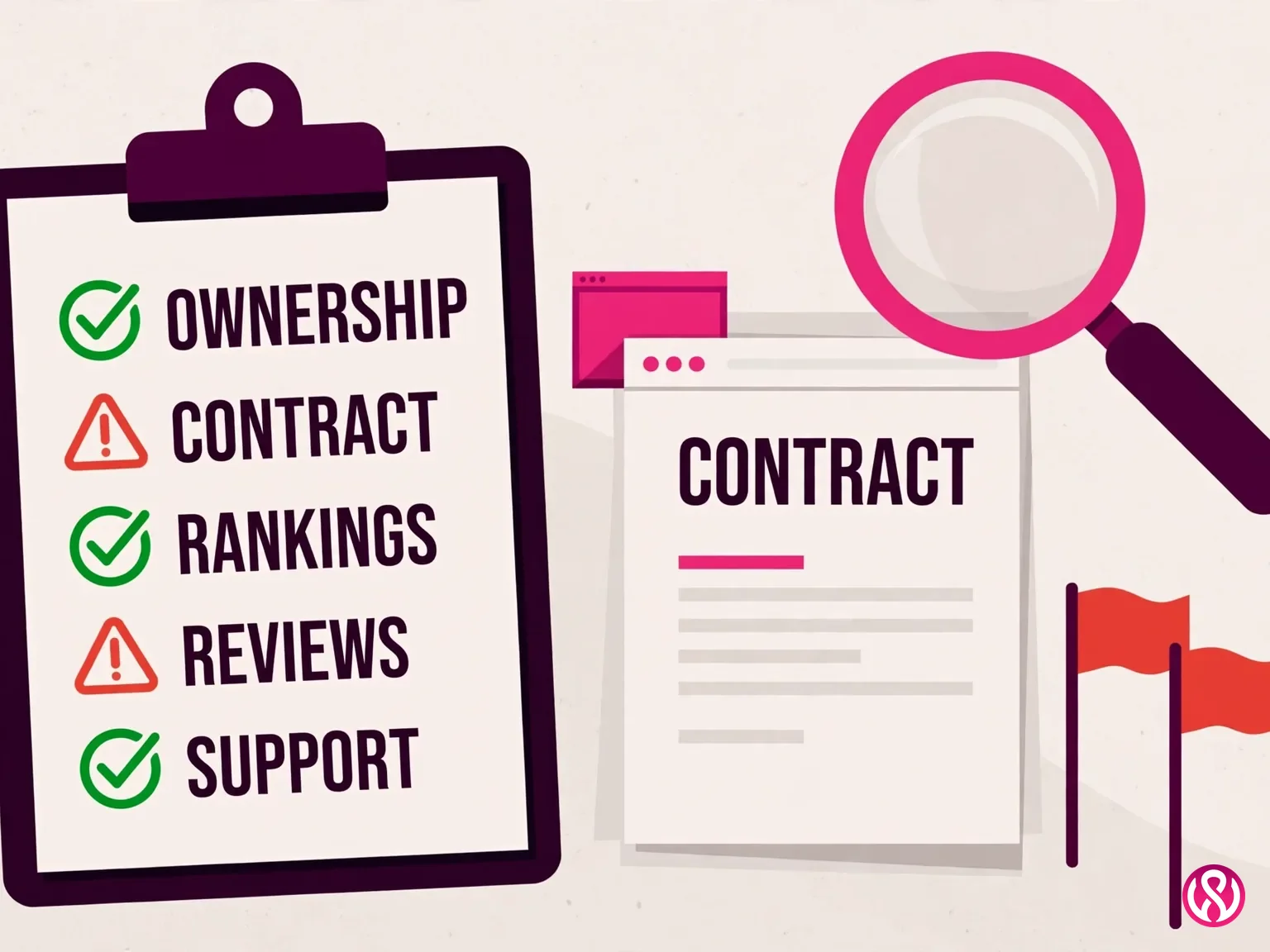
- Guaranteed first-page Google rankings. Nobody can honestly guarantee rankings. It is the oldest lie in the industry.
- The domain registered in their name. If the provider registers your domain for you under their own account, leaving means losing your web address. Register it yourself, always.
- No live portfolio, or work they cannot explain. Visit the actual sites, on your phone. A portfolio of screenshots is not proof.
- No discovery questions before quoting. A provider who quotes without asking about your goals, audience, and competitors is guessing, and you will pay for the guess later.
- Vague deliverables. The proposal should list pages, features, revision rounds, and timeline. Vague proposals lead to scope creep and surprise invoices.
- Locked-in hosting with no exit. Some providers build on proprietary platforms where you cannot leave without losing everything. Make sure you can move your site.
- Pressure to sign today or pay 100% upfront. A 50% deposit to start with the balance on delivery is the normal, fair structure. Demands beyond that signal cash-flow problems, not confidence.
And the quietest red flag of all: a provider whose own website is slow, broken on mobile, or ranks for nothing. If they cannot do it for themselves, they cannot do it for you.
How Business Web Design Changed in 2026
Three shifts changed what a good business website looks like, and they all point the same way: substance beats decoration.
First, AI search. Google's AI Overviews answer research questions on the results page, so business content has to be quotable: clear definitions, direct answers in the first paragraph, real numbers with named sources. Pages written as vague marketing copy are invisible twice over, to people and to machines.
Second, the phone won completely. Mobile-first is no longer a design preference; it is the default assumption. Design for the person searching on a phone at 10 p.m. who needs your number, your services, and a way to contact you in seconds. If it works beautifully on a phone, it works everywhere. The reverse is rarely true.
Third, speed became measurable and public. Core Web Vitals thresholds (LCP within 2.5 seconds, INP at 200 milliseconds or less, CLS at 0.1 or less) are field-measured on real users, and clients can check any site's scores themselves. Bloated builders and plugin-stuffed themes cannot hide anymore. Our builds target sub-two-second loads with SEO-first architecture baked in, which is exactly what our website development services are structured around: performance as a feature, not a fix.
The One Decision That Matters
Good business web design is not decoration and not a brochure. It is what business website design services are really selling: a business asset with one job, turning visits into customers. That means a headline that says what you do in seconds, a phone-first experience, real speed, trust signals with names attached, SEO built in from day one, and a next step on every page. Get those right and the design almost takes care of itself. Get them wrong and no amount of animation saves the site.
If you want the first kind, contact us for a fixed quote. We will ask about your goals, your customers, and your timeline before we name a number, and the number we name is the number you pay. Or start smaller with a free quote and see how the process feels.