Home services website design is the practice of building a trade company's site around how homeowners actually buy: fast, on a phone, and usually in a hurry. The short answer to what makes one work in 2026: a tap-to-call button on every page, a quote form that takes under a minute, clear service-area pages, real reviews, before-and-after photos of your own work, and load times under three seconds. Everything else is secondary.
This matters more than most owners think. WebFX's home services handbook reports that nearly 70% of home service customers book providers online (citing GetApp). Your site is not a brochure. It is the person who answers the phone when you are on a job. Most home service businesses treat their site as a brochure. The 70% figure says that is an expensive mistake. This guide covers what belongs on a home service site, what it costs in 2026, when to redesign, and how to pick the designer. We build these sites for a living through our website design services, and every section below is written from that side of the table. Good home services website design starts from the buyer's side of the counter, not the designer's portfolio.
What Should a Home Service Website Include?
A good home service website design answers five questions before the visitor scrolls: do you fix my problem, do you serve my area, can I trust you, how fast can I reach you, and what might it cost. The ten elements below are how home services website design answers all five. If your current site is missing more than two of them, it is leaking calls.
1. Mobile-first design, not mobile-afterthought
Roughly 64% of global web traffic now comes from mobile devices, up from 50% in 2016, per Statista figures cited in Hook Agency's conversion guide. For emergency trades the number is higher still: nobody's water heater bursts while they are sitting at a desk. Mobile-first means the phone number is tappable without zooming, the quote form fits one thumb, and the page is designed for a small screen first, then scaled up to desktop. A desktop site that was merely shrunk down always feels like work on a phone, and homeowners with a flooded basement have no patience for work. Mobile-first home services website design starts with the phone layout and scales up, never the reverse.
2. Tap-to-call on every page
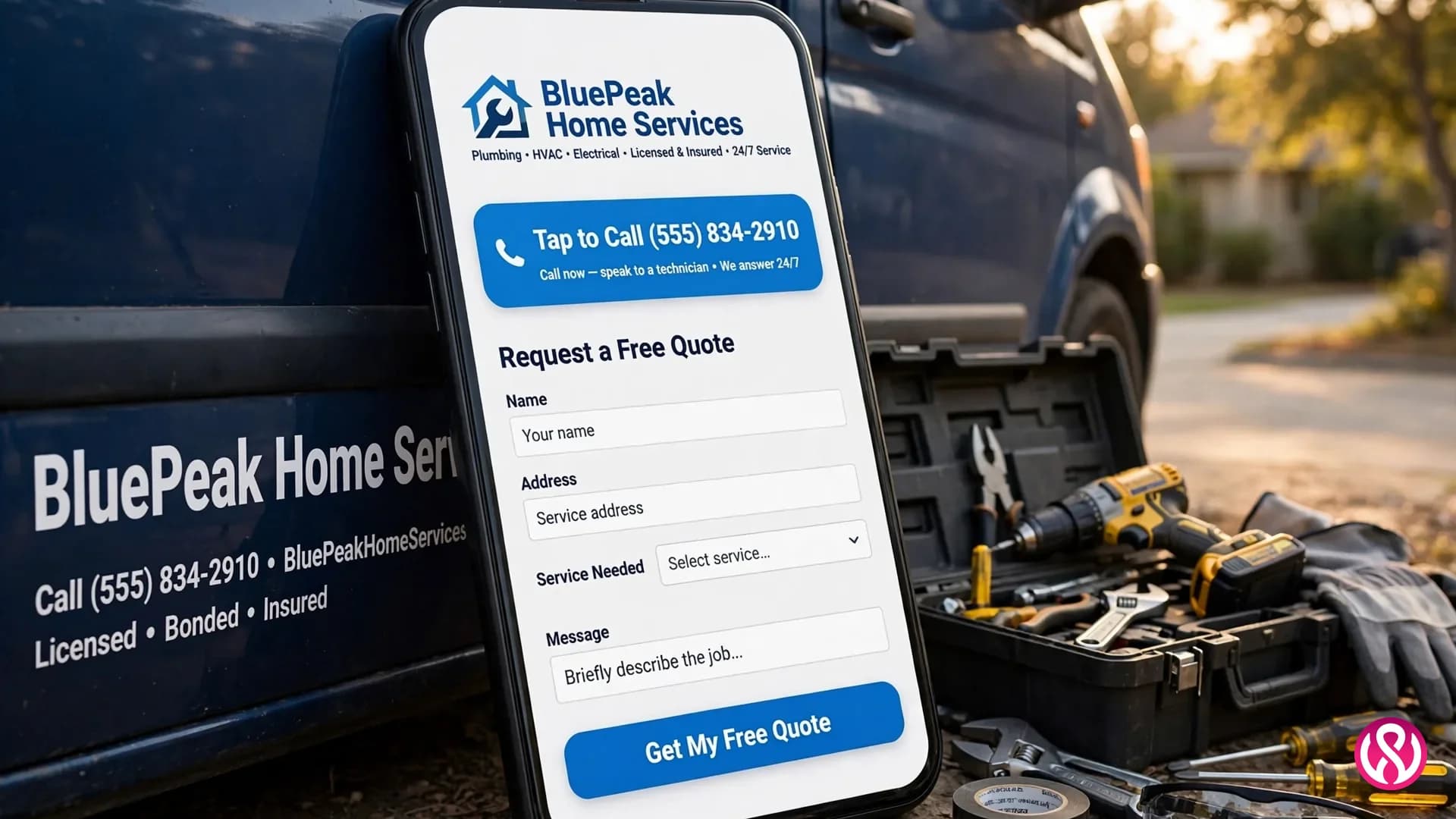
The phone number belongs in the header of every page as a real link, not an image of a number. On mobile, one tap dials you. This is the single highest-converting element on a trade site, because emergency callers will not fill out a form. Put the same click-to-call button in a sticky mobile bar so it never scrolls away. If your site makes a panicked homeowner hunt for the number, you have already lost the job to whoever listed theirs first.
3. Clear service-area information
Tell people exactly where you work: a list of towns and neighborhoods on the homepage, plus a dedicated service-area page with a simple map. This does two jobs at once. It stops you getting quote requests from two counties away, and it feeds local SEO, because “plumber in [town]” searches need pages that actually name towns. Multi-truck operations should give each major town its own page with real local content, not the same paragraph with the town name swapped.
4. A quote form that takes under a minute
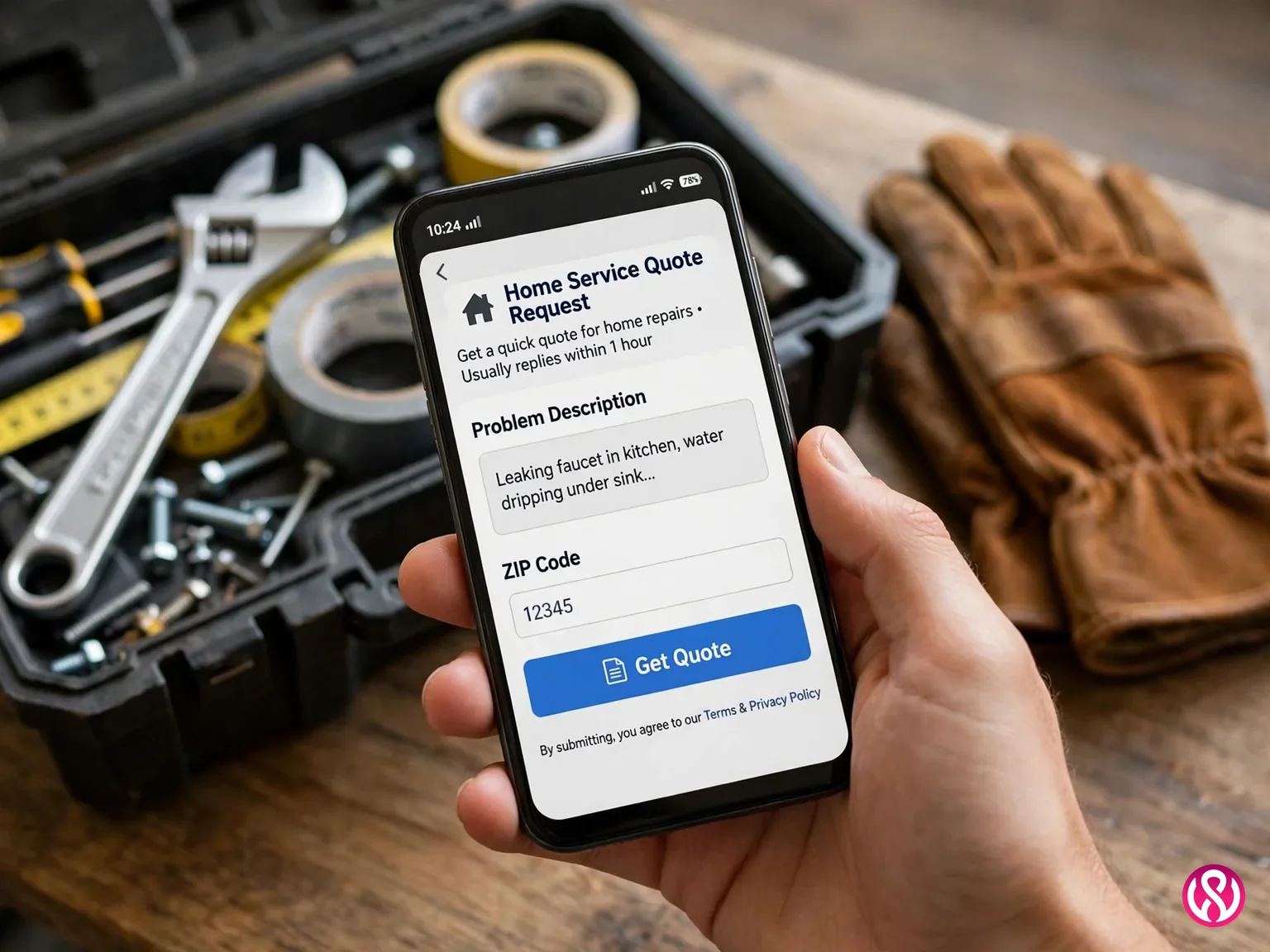
Long forms kill conversions on trade sites. The form that wins asks for four things: what is wrong, where it is, how to reach you, and when you need it. Add a file upload for photos of the problem, because a picture of a leaking water heater tells your dispatcher more than three paragraphs. Tell the visitor what happens next (“we reply within one business hour”) and then actually do it. Speed of response closes more jobs than the form design ever will. In our experience, home services website design projects live or die on this one form.
5. Online booking or scheduling
A quote form captures the curious. Online booking captures the decided. Let visitors pick a time window and get a confirmation without calling, especially for non-emergency work like tune-ups, inspections, and estimates. Connect it to the field software your office already runs (ServiceTitan, Jobber, and Housecall Pro all offer website booking widgets) so the site feeds your real schedule instead of a separate inbox nobody checks. That integration is website development, not just design, which is why basic template builders often cannot do it. Most home services web design projects skip this integration; the ones that keep it see fewer no-shows.
6. Before-and-after photo galleries
Your own photos are the most persuasive content a trade site can carry. Before-and-after galleries organized by job type show skill better than any paragraph about craftsmanship. Shoot them on a phone, in daylight, same angle both times. A gallery of real local jobs also proves you actually work in the towns you claim. We go deeper on this below, because most companies do it badly. This is the cheapest win in home services website design: real photos cost nothing.
7. Reviews where the decision happens
Do not park all your reviews on one testimonials page nobody visits. Put star ratings and short quotes next to the quote form, under the service list, and beside the phone number. Pull them from Google Business Profile first, then the trade platforms homeowners actually check: HomeAdvisor, Angi, Thumbtack, and Nextdoor. A 4.8 rating with 200 real reviews beats a perfect 5.0 with six, because homeowners can smell the difference.
8. Licenses, insurance, and certifications up front
Nobody invites an unlicensed stranger into their home. Show the license number, the insurance, and the trade certifications in the footer of every page and near the quote form. If you carry an A+ BBB rating, say so with a link to the profile. These trust signals cost nothing to display and remove the exact fear that stops a homeowner from calling.
9. Load speed under three seconds
The same Hook Agency guide cites Think with Google data: 53% of mobile users abandon sites that take longer than three seconds to load. Speed is a trust signal on trade sites. A slow site feels like a slow company. The usual killers are oversized hero images, stock-photo sliders, and page builders stacked with plugins. Compress every image, skip the video background, and test on a mid-range Android, not your office MacBook. Google grades the experience with Core Web Vitals: LCP (how fast the main content appears), INP (how quickly the page responds to input), and CLS (how much the layout shifts while loading). Aim for all three in the “good” band on a real phone, not just on office wifi.
10. One page per service
A single “Services” page that lists everything ranks for nothing and convinces nobody. Give each real service its own page with its own photos, its own reviews for that job type, and its own call to action. Drain cleaning, water heaters, and repiping are three different searches with three different buyers. Service-specific landing pages win those searches and convert better, because the visitor lands on exactly what they asked for.
How Homeowners Decide: Emergency Jobs vs Planned Projects
Homeowners buy home services in two modes, and your site has to serve both. Get this wrong and the prettiest site in the county still starves. Emergency mode is the burst pipe, the dead furnace in January, the sparking outlet. The buyer is on a phone, has one problem, and has zero patience. They scan for four signals: are you nearby, are you available now, do you look legitimate, and can I call in one tap. If your site hides any of those behind a menu or a slow load, they are gone in seconds.
Planned projects look calmer but carry more fear: the roof replacement, the system upgrade, the full rewire. These buyers research, but not from curiosity. They are afraid of overpaying, afraid of picking the wrong contractor, afraid of being sold to. Too many options make them freeze. For these visitors, your site needs depth: detailed service pages, real project galleries, financing information, and proof you have done this exact job before. One primary action per page still applies. Fewer choices feel safer, and safer choices convert.
The design lesson is simple and it is the backbone of good home services web design: remove hesitation, do not add decoration. Your website does not need to be beautiful. It needs to be believable.
The Trust Signals That Win the Click
A homeowner choosing between five tabs is not comparing your copy. They are comparing how safe each company feels. Trust is not built on one page. It is reinforced everywhere, at every point where doubt shows up. The signals below are the ones that actually move the needle for trades, in the order a skeptical visitor looks for them. Getting these right is what separates winning home services website design from the rest. Most home service website design advice stops at “add testimonials.” This goes further.
- Google reviews with real names. Your Google Business Profile rating shows up before they ever reach your site, so it is part of your web design whether you like it or not. Keep it above 4.5, answer every review, and mirror the best ones on the site.
- Trade-platform ratings. HomeAdvisor, Angi, Thumbtack, and Nextdoor each carry weight with different age groups. Display the badges, link the profiles, and never cherry-pick only the five-star ones. A visible 4.7 with honest responses to the bad reviews converts better than a suspicious wall of perfection.
- License and insurance, stated plainly. The license number itself, not just “licensed and insured.” Homeowners have learned that the vague version often means neither.
- Real crew photos. Ditch the stock photos of smiling models in hard hats. Homeowners want to see the actual people who will walk into their house, ideally in branded gear. One genuine team photo beats ten stock images.
- Guarantees in plain language. “On time or the diagnostic is free” beats “satisfaction guaranteed.” Specific promises are believable. Vague ones are wallpaper.

Before-and-After Photos Are the Proof That Sells
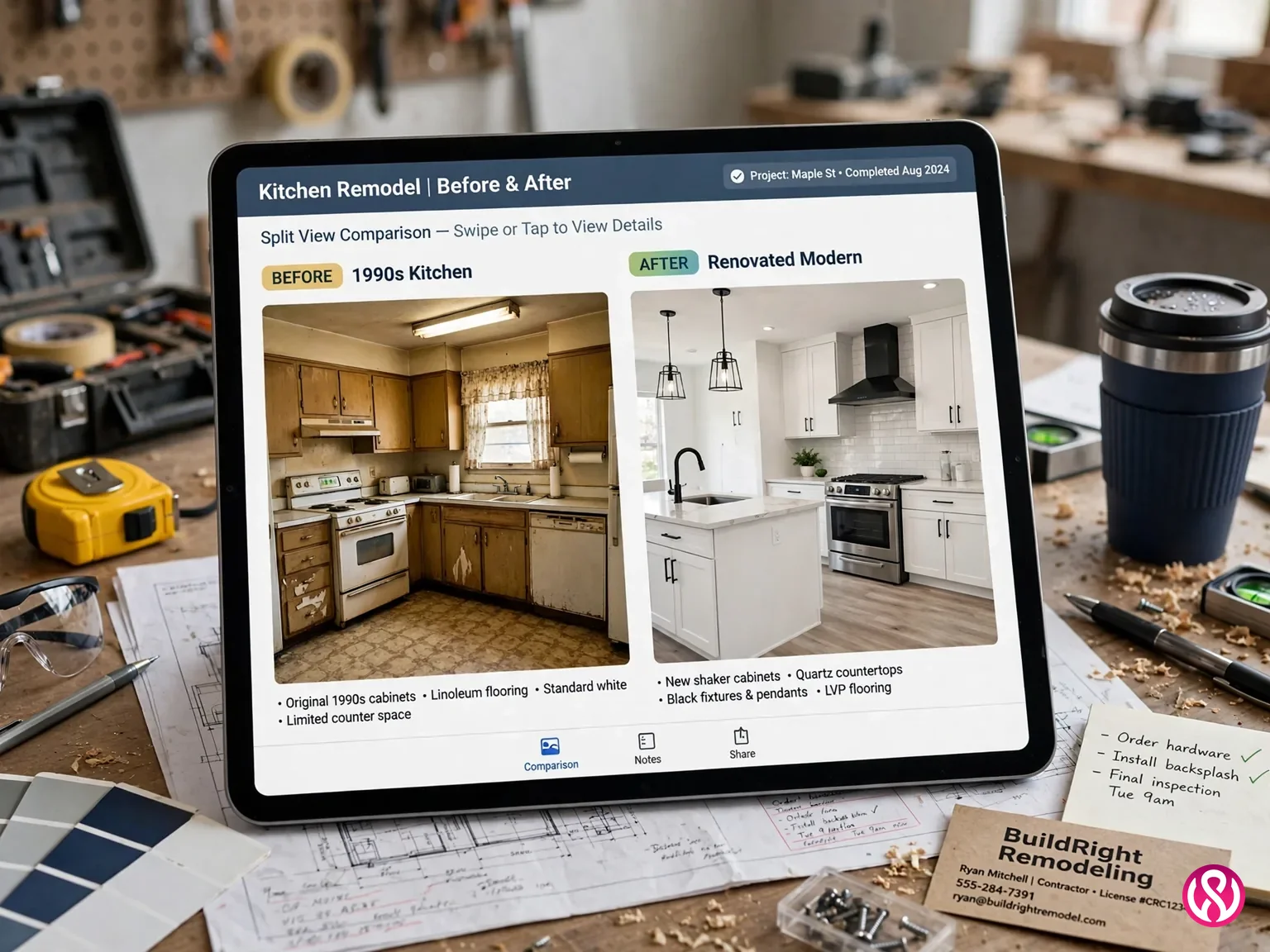
For visual trades, the gallery is the sales pitch. Roofing, remodeling, landscaping, painting, flooring: the homeowner is buying a transformation, and nothing communicates it like the same angle before and after. The mistake most companies make is uploading 40 unsorted phone photos with filenames like IMG_4829. That is not a gallery. That is a camera roll.
Do it properly. One gallery per service, not one dumping ground. Same angle, same lighting, before and after side by side. A one-line caption under each pair: the town, the job, the year. Caption the file names for SEO too (“asphalt-shingle-roof-replacement-austin.webp” beats “IMG_4829.webp”). Three strong pairs per service beat thirty weak ones. And ask the homeowner's permission in writing before publishing their house. One complaint undoes a hundred good photos.
How Much Does a Home Services Website Cost in 2026?
The honest answer depends on whether you need a simple presence or a lead machine. BBN Times' 2026 cost guide puts home services websites in three bands: $1,000 to $3,000 for a basic template-based site, $3,000 to $8,000 for a mid-range professional build, and $8,000 to $20,000 or more for custom work with advanced features. Home services web design pricing follows the same three tiers as most small-business builds; the trade part is what you put inside each tier. Most trade sites land at 5 to 10 pages: home, services, about, contact, plus testimonials or a blog.
| Site tier | Typical cost | What you get |
|---|---|---|
| Basic (template-based) | $1,000 to $3,000 | 5 pages, standard layout, contact form, mobile-friendly. Fine as a digital business card. |
| Professional | $3,000 to $8,000 | Custom design, one page per service, service-area pages, review integration, online booking, basic local SEO. |
| Custom / multi-location | $8,000 to $20,000+ | Everything above plus town-by-town location pages, CRM and booking integrations, financing pages, content engine. |
Five things move the quote most: page count, who writes the copy, booking and payment integrations, how much local SEO is baked in, and ongoing care. Expect 2 to 4 weeks for a basic build, 4 to 8 weeks for a professional one, and 8 to 16 weeks for custom, per the same 2026 guide. Our own published pricing sits below the professional band: our Starter site is $799, Professional is $1,999, and Enterprise starts at $3,999, with care plans at $99 to $399 a month. The full breakdown is on our pricing page, and a deeper trade-specific breakdown lives in our contractor website design cost guide.
Should You Redesign Your Site or Start From Scratch?
If the phone is quiet, the instinct is to burn the site down and start over. Sometimes that is right. Often it is not. A redesign keeps your existing rankings, content, and domain history and fixes what is broken. A rebuild makes sense only when the foundation itself is the problem. Here is how to tell which camp you are in. Owners ask “should I redesign my home service website or start over” more than any other question we hear, and the table above is the answer we give them.
| Signal | Redesign it | Rebuild it |
|---|---|---|
| Age and platform | Built in the last 3 to 5 years on a modern platform | 7+ years old, or on tech nobody supports anymore |
| Current performance | Gets some calls, but the design looks dated and mobile is clumsy | Gets nothing: no traffic, no calls, no rankings to protect |
| Speed | Slow because of fixable bloat (uncompressed images, heavy plugins) | Slow because the whole stack is wrong |
| Business fit | Same services, same area, just needs to convert better | New services, new towns, rebrand, or franchise expansion |
| Budget reality | Cheaper and faster: weeks, not months | Costs more up front, buys a clean foundation for years |
One warning that applies to both paths: never launch a redesign without a redirect map. Old service pages that ranked for years vanish overnight if their URLs change without redirects, and the traffic dip takes 30 to 90 days to recover. Any designer who shrugs at redirect planning is telling you they have never migrated a site that mattered.
What a Good Home Service Homepage Looks Like
The homepage has one job: confirm the visitor is in the right place and hand them the next step. Everything above the fold, the part visible without scrolling, has to do three things: name the service, name the area, and show the action. Run your homepage against this home service website design checklist. Ten minutes, honest answers. Your value proposition, the one-line answer to “why call you instead of the other four tabs,” belongs in the headline itself, not three scrolls down.
- A headline that names the service and the town. “Emergency Plumber in Austin, 24/7” beats “Your Trusted Home Service Partner.” The visitor should never scroll to learn what you do.
- One primary action, repeated. Call button and quote form link above the fold, then again after the reviews, again after the services, and at the bottom. Repetition is not pushy when it is consistent. It is helpful.
- Proof directly under the hero. Star rating, review count, years in business, license badge. The first scroll should land on reasons to believe you.
- A scannable service list. Every service you offer, each linking to its own page. This is navigation and SEO in one move.
- Service-area confirmation. The towns you cover, stated plainly, linking to the service-area page. This kills the “do they come to my street” doubt early.
- No sliders, no autoplay video, no popups on entry. Every one of these slows the load and distracts from the call button. On a trade site, motion is friction.
Design Notes by Trade
Every trade shares the same skeleton, but each has one thing its buyers care about most. We have written a full contractor website design guide for each of the trades we build for. Start with the overview here, then read the home services website design guide for your trade. Each one goes deeper on the details that help that trade's buyers decide.
One more thing the trade guides share: your website is where all your marketing lands. Google Ads, local SEO, and social posts all point at these pages, so a site that cannot convert wastes every dollar spent upstream. Fix the site first, then spend on traffic.
- Roofing. Storm season drives emergency searches, so the 24/7 line and the free inspection form carry the site. Photo proof matters most here: drone shots of finished roofs and hail damage close-ups. Read our roofing website design guide.
- Plumbing. Speed wins. Tap-to-call, a one-minute quote form with photo upload, and clear emergency vs scheduled paths. License number visible everywhere. Read our plumber website design guide.
- HVAC. Seasonal urgency plus big-ticket installs, so the site needs both emergency booking and financing pages. Brands serviced and maintenance plans earn the planned-job buyer. Read our HVAC website design guide.
- Electrical. Safety fears dominate, so credentials, insurance, and plain-language explanations of the work matter more than galleries. Panel upgrades and EV chargers deserve their own pages. Read our electrician website design guide.
- Landscaping. The most visual trade, so the before-and-after gallery is the homepage, not a subpage. Seasonal service pages (spring cleanup, snow removal) catch the calendar searches. Read our landscaping website design guide.
- Construction and remodeling. Long sales cycles mean the site needs project portfolios with budgets ranges, timelines, and detailed process pages that answer “how does this work.” Read our construction website design guide.
Once the site is live, the next job is getting it found. Our contractor SEO services cover the local rankings, Google Business Profile, and review engine that feed the site traffic worth converting.
How to Choose a Web Designer for Home Services
Most web designers build pretty sites for anyone. You need one who does home services web design for trades specifically, and has the live sites to prove it. The difference shows up in the first conversation. Ask these six questions before you sign anything.
- Show me three home service sites you built that take calls today. Not mockups, live sites. Open them on your phone during the call. If the phone number is hard to find, walk away.
- How do you handle the emergency buyer? Listen for tap-to-call, sticky mobile bars, and page speed. If they talk about brand storytelling first, they build for the wrong buyer.
- What is your local SEO plan? Service-area pages, Google Business Profile integration, review strategy, and schema markup should all be in the answer. A site with no local SEO plan is a billboard in the desert.
- Who owns the site, the domain, and the content? Get it in writing: you, from day one. Never accept a monthly lease on a site you will never own. If you cancel, some lease models take the site down with them.
- Is the quote fixed, and what moves the price? Page count, copywriting, booking integrations, revision rounds. Hourly billing with no cap is how $3,000 quotes become $9,000 invoices.
- What happens after launch? Care plans, response times, who fixes things when they break. A trade site with no maintenance plan is a site with an expiry date, because plugins, security, and Google all move on without you.
The red flags are the mirror image: a portfolio with no trade work, a quote that cannot explain the price, no ownership clause, and a designer who wants to talk about awards instead of calls. On a home service site, clarity is the design. Hire the person who understands that sentence. Contractor website design is a specialty. Treat it like one when you hire.
Get a Home Services Website That Earns Its Keep
A home services website is not there to impress. It is there to remove hesitation: one tap to call, one short form, proof you are real, and a page that loads before the homeowner's patience runs out. That is what makes a good home services website. The companies that treat their site as the hardest-working employee on the crew get the calls. The ones that treat it as a brochure get a pretty site and a quiet phone.
If you want the first kind, contact us for a fixed quote. That is the standard every home service website design project we ship is held to. We will ask about your trade, your towns, and your booking setup before we name a number, and the number we name is the number you pay. Or start with a free quote and see how the process feels.