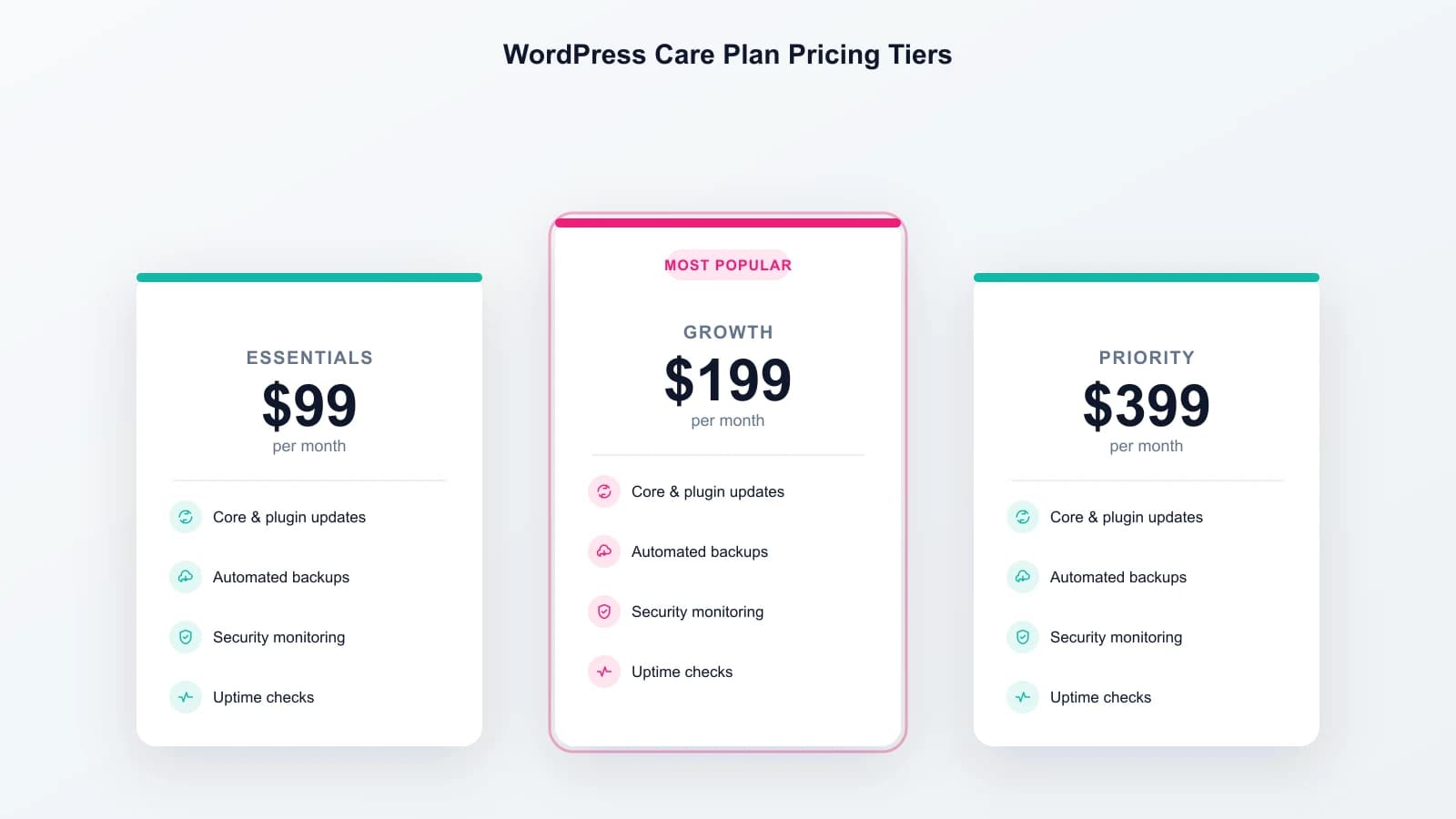
A WordPress care plan should run $99 to $399 a month for a single business site. At minimum, real WordPress website maintenance servicescover four things: updates, backups, security monitoring, and uptime checks. Pay less than that and you are usually buying automation with nobody actually watching it. Pay a lot more and you are usually buying faster human response time and more included work, not more protection. Here is what a real plan includes, what it leaves out, and how to tell whether you need one at all. If you would rather do the work yourself first, the full management routine is written up separately, task by task.
What a WordPress Care Plan Actually Includes
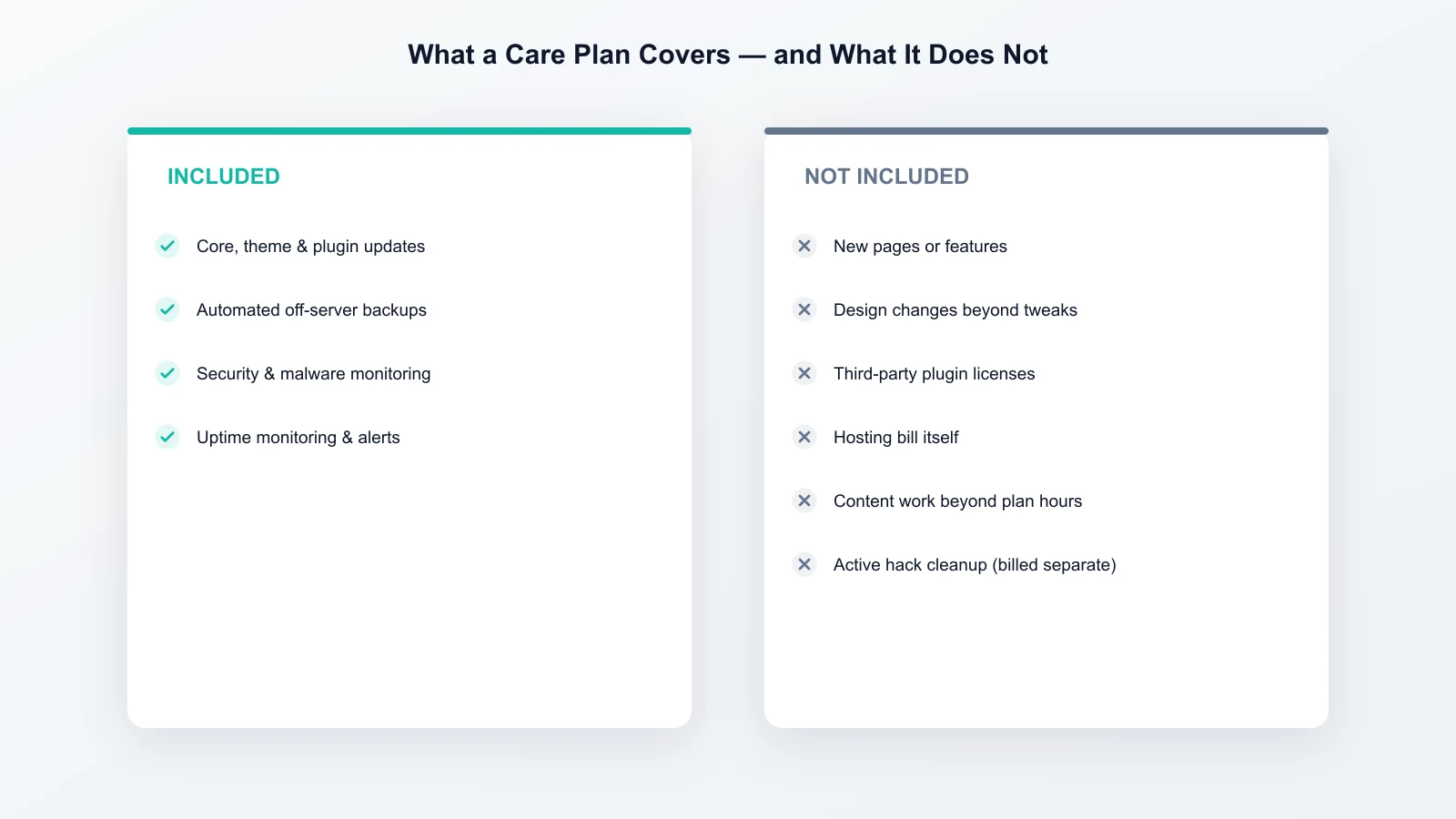
Every legitimate WordPress maintenance service is built around the same four things. Core, theme and plugin updates, applied on a schedule rather than whenever someone remembers, matters most on the plugin layer specifically: 91% of 2025's disclosed WordPress vulnerabilities were in plugins, not core. Backups, taken automatically and stored somewhere other than the same server as the site. WordPress.org's own guidance recommends keeping 3 to 5 recent backups across multiple locations, not one copy in one place. Security monitoring that scans for malware and known vulnerabilities, rather than waiting for something to go visibly wrong. And uptime monitoring that alerts a person the moment the site goes down, instead of you finding out from a customer.
The better vendors add one more layer most budget plans skip. Updates get tested on a staging copy of the site first, before they touch the live one. That single step is the difference between an update that patches a vulnerability and an update that quietly breaks your contact form the same afternoon. If a plan does not mention staging anywhere, ask whether updates go straight to the live site, because for a lot of budget providers, they do.
A few specifics worth checking rather than assuming:
- Is two-factor authentication enforced for admin and editor logins? Microsoft's own security research found MFA blocks over 99.9% of automated account-compromise attacks.
- Are security headers and file permissions configured, or left at server defaults?
- Does the plan start with an audit of your existing setup, or just switch monitoring on over whatever vulnerabilities are already there?
Some providers market this security layer on its own as WordPress security care plans rather than bundling it into general maintenance. The underlying work is the same either way. The label is a marketing choice, not a different service.
What a Care Plan Usually Does Not Cover
This is the part most comparison guides leave vague, so the surprises show up later on an invoice. A standard care plan does not normally include new pages or features. It does not cover design changes beyond small tweaks, or third-party plugin and app license fees. It also excludes the hosting bill itself, and content work beyond whatever hours the plan states. Most vendors bill an active hack cleanup as a separate engagement, unless the plan explicitly says otherwise. That is worth confirming before you need it, not after.
WordPress Care Plan Pricing: What You Actually Pay
WordPress maintenance packages vary a lot depending on how much human support is bundled in. Among the pages we reviewed while researching this guide, Always Open Design's plans start at $49/mo with annual billing, and Inspirable's care plans start at $49.99/mo, with 24/7 monitoring and backups every 5 hours included at every tier rather than gated behind the top one. Full-service agency retainers run higher still, into the hundreds. That splits into three rough tiers. Budget plans sit at $30 to $100 and are close to fully automated. Mid-tier plans sit at $100 to $300 and add some included support hours, sometimes staging too. Full-service or agency plans run $250 to $500+ and add faster response times plus meaningful developer time. Here is what that looks like on our own three tiers, published rather than quoted as a range:
Our Three Care Plan Tiers
Every tier covers the same four core protections. Here is exactly what changes at each price point:
| Plan | Price | What's included |
|---|---|---|
| Basic Care | $99/mo | Weekly updates & backups, security monitoring, uptime monitoring, monthly report |
| Standard Care | $199/mo | Everything in Basic, plus speed optimization, 2 hours/mo of minor changes, priority email support |
| Premium Care | $399/mo | Everything in Standard, plus 4 hours/mo of content updates, SEO monitoring, same-day response |
What actually changes as you move up a tier is not the core protection, that stays constant across all three. What changes is how much a person is involved: response speed, how many hours of hands-on work are bundled in, and how much gets checked rather than just automated.
As a rough guide: a brochure or low-traffic site is usually well served by the basic tier, since the core protection is identical either way. A site that takes leads or bookings and cannot afford to sit broken for a day benefits from the priority response time and included change hours in the middle tier. A revenue-generating or e-commerce site, where downtime directly costs sales, is where the same-day response and monthly SEO monitoring in the top tier tend to earn their price back.
WordPress Care Plans for WooCommerce and Other E-commerce Sites
A store on WordPress needs one layer a brochure site does not. That is monitoring for fraudulent order creation and injection through form and checkout fields, not just malware on the file system. Server-side rate limiting on form submissions, honeypot fields, and CAPTCHA where bot traffic is high all reduce this. It is worth asking directly whether the monitoring on offer covers checkout and order-level activity, or only the file system and database. A lot of “WordPress maintenance” plans were built with a brochure site in mind, and do not mention this at all.
“Care Plan” vs “Maintenance Service” vs “Support Plan”: Is There a Real Difference?
Mostly, no. “WordPress care plan,” “maintenance service,” “maintenance plan,” and “support plan” are largely the same product marketed under different names. You will see all four used interchangeably by the same providers.
Where a real distinction sometimes exists, it is proactive versus reactive. Maintenance is scheduled work that happens whether or not you ask for it: updates, backups, monitoring. Support is reactive, ticket-based help when something breaks or you need a small change made. Most plans, including ours, bundle both under one price rather than selling them separately. The label on the page matters less than reading the feature list underneath it.
Managed WordPress Hosting Is Not the Same as a Care Plan
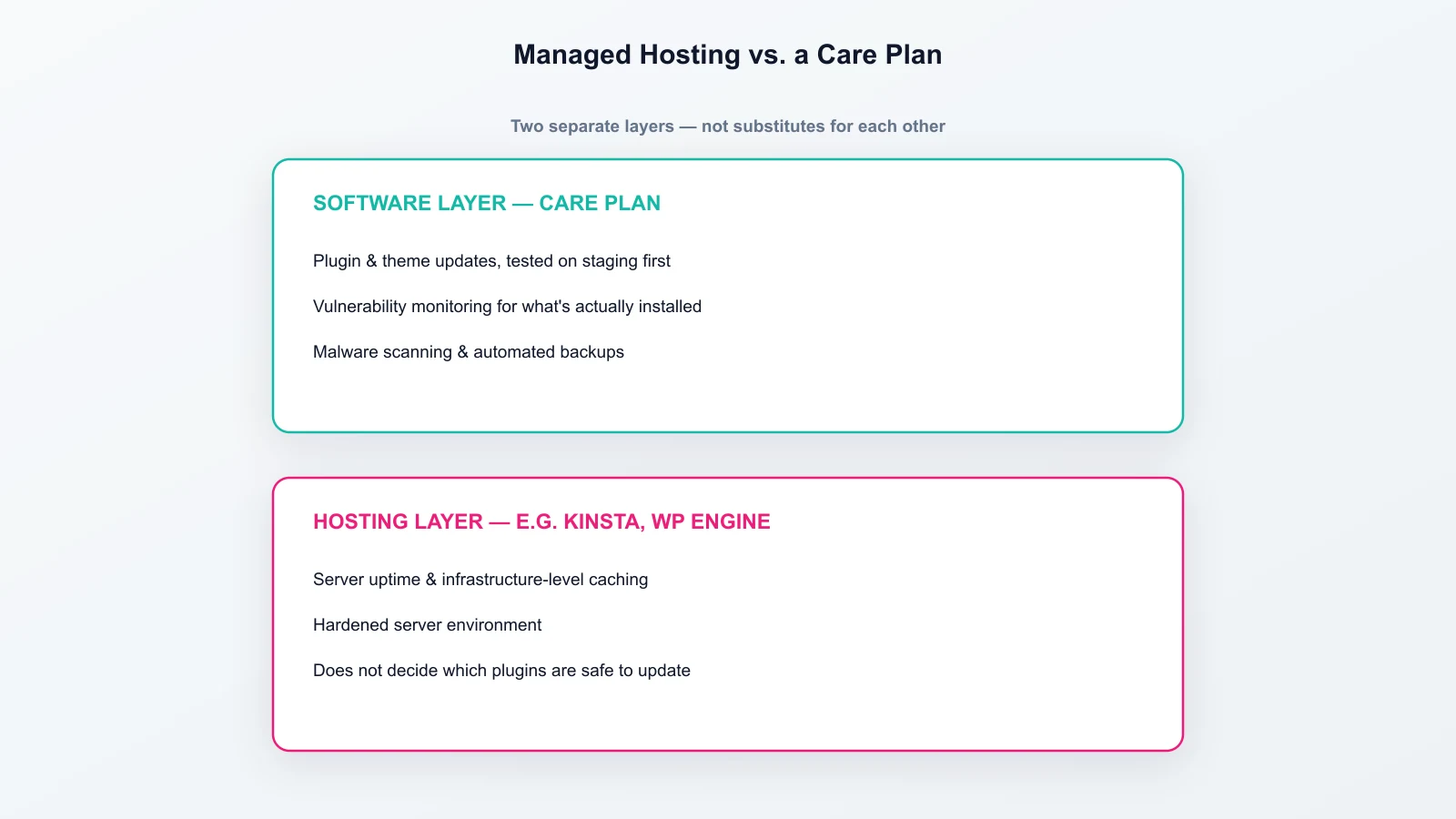
This is the mix-up that costs people money without them realizing it. Managed hosting vendors like Kinsta or WP Engine handle the server. That means uptime at the infrastructure level, server-side caching, and a hardened hosting environment. It typically costs another $30 to $100 a month on top of a normal hosting bill. What managed hosting does not do is decide which plugins are safe to update. It does not test an update before it goes live, and it does not watch for a vulnerability in a specific plugin you have installed. That is the software layer, and it is what a care plan actually covers. Excellent hosting and a completely unmaintained WordPress install can sit right on top of each other. The two are not substitutes for each other. If you are switching hosts entirely, separate from a care plan decision, see how to move WordPress to a new host without downtime or data loss.
Do You Actually Need One?
If the site takes bookings, processes payments, or is how customers reach you, yes. An afternoon of downtime or a leaked customer record costs more than a year of a maintenance plan. If it is a low-traffic hobby or portfolio site, doing it manually is a reasonable choice too, using the same DIY tool stack we cover here. That works as long as you are comfortable logging in and clicking “update” yourself.
One pattern is worth knowing either way. Most compromised WordPress sites are not targeted individually by a determined attacker. They are running outdated plugins or themes with publicly known vulnerabilities, and that is what actually gets found and exploited. Current numbers on newly disclosed vulnerabilities are tracked by Wordfence's own vulnerability intelligence.
How to Choose a WordPress Maintenance Provider
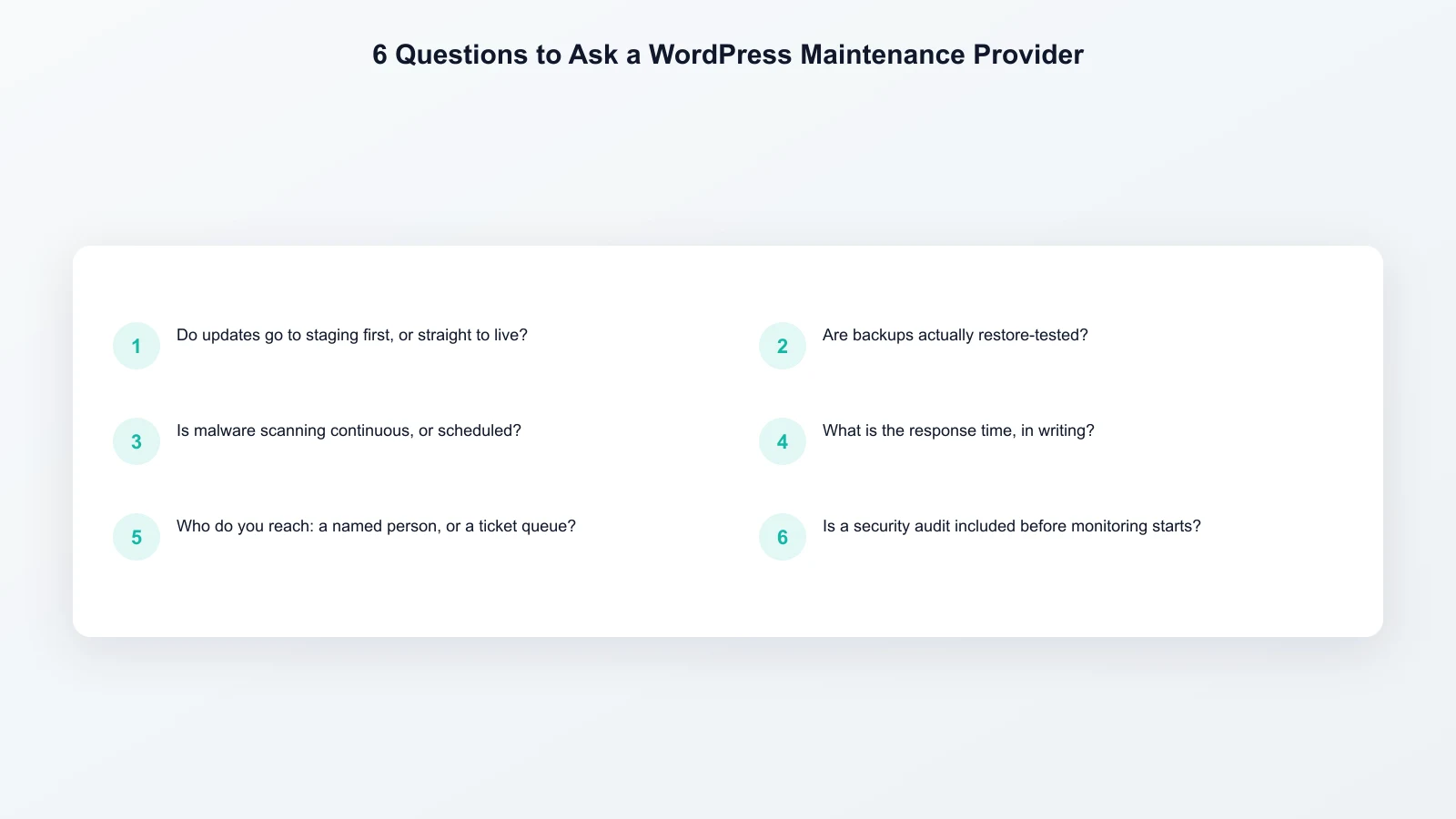
Once you have decided to pay for a plan, the providers themselves vary a lot more than the marketing pages suggest. A short list of questions worth asking before signing up:
- Do updates go to a staging copy first, or straight to the live site?
- Are backups actually restore-tested, or just taken and left untouched until needed?
- Is malware scanning continuous, or a scheduled weekly or monthly check?
- What is the stated response time for a critical issue, in writing, not “fast”?
- Who do you actually reach when something breaks: a named person, or a ticket queue?
- Is a security audit included before monitoring starts, or do you inherit whatever state the site is already in?
A vendor that answers all six specifically, rather than with general reassurance, is usually the safer choice regardless of which price tier you land on.
What Happens When a Site Goes Unmaintained
Rarely something dramatic overnight. More often it is a slow drift. One plugin update gets skipped, then another. A cache fills up and nobody notices the site got slower. Somewhere, a backup exists, but nobody has actually tried restoring from it. Six months later, there is a known vulnerability sitting on the site with no patch applied. The bill usually arrives all at once instead of gradually: an emergency cleanup after a hack, at hourly rates, under time pressure. That almost always costs more than the maintenance would have across the months it was skipped.
How We Run Care Plans
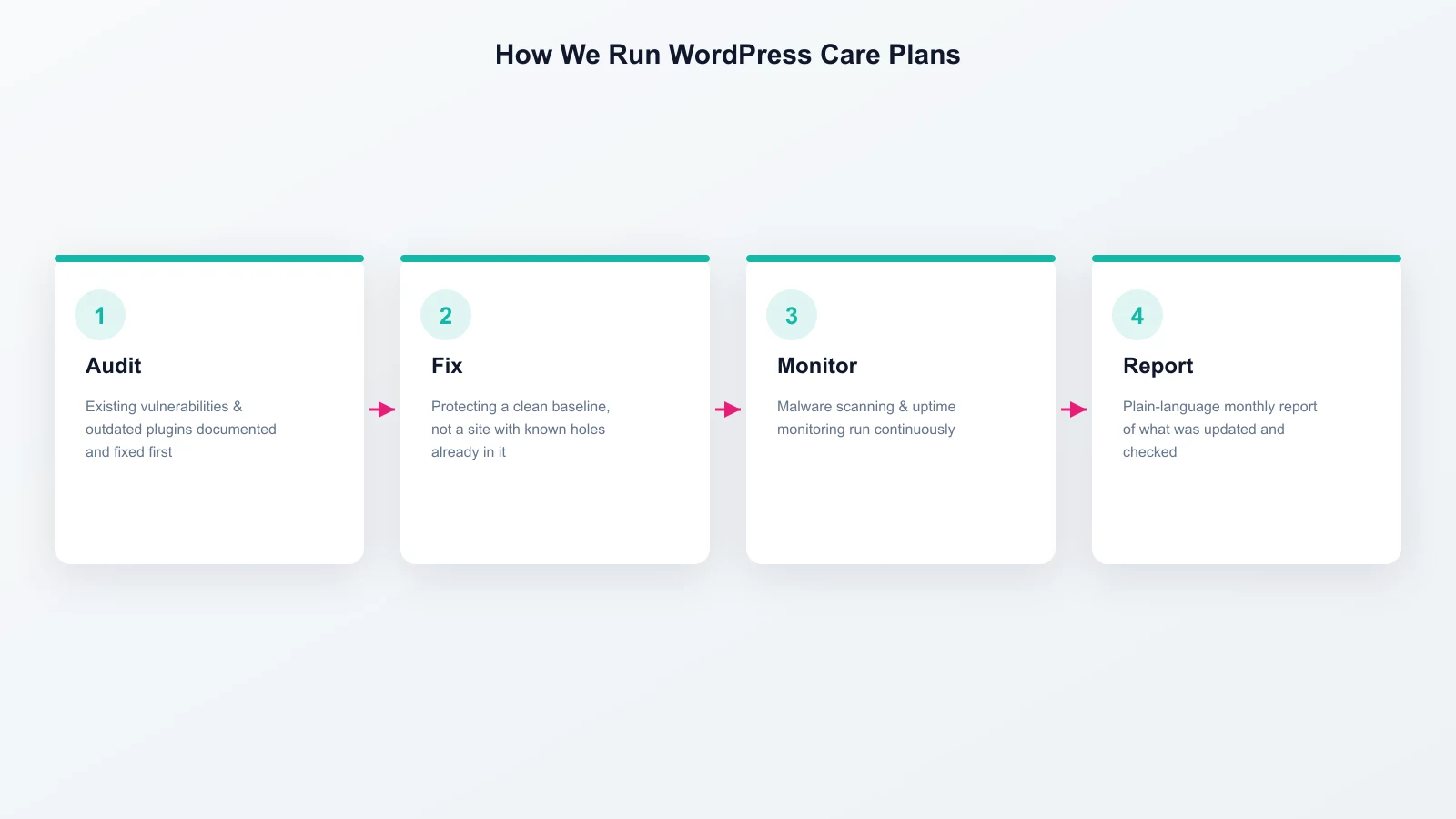
Our own WordPress maintenance and support process starts with a full audit. Existing vulnerabilities, outdated plugins, and security gaps get documented and fixed before monitoring begins. That way, we are protecting a clean baseline, not a site with known holes in it already. Updates are applied on a monthly cycle and tested on staging first. If something breaks, it breaks there, not on your live site. Malware scanning and uptime monitoring run continuously, rather than on a fixed schedule. Every month you get a plain-language report of what was updated, what was checked, and what, if anything, needed fixing.
This is not theoretical. We have run WordPress maintenance and support for Falcon Ridge, a 55+ independent living community in Brandon, FL, since their custom WordPress build launched in 2023. Earlier in 2026, someone attempted to log into the site's admin panel: we caught it and changed the exposed password before it went any further. Separately, a caching issue broke the site's design outright. We fixed it immediately, rather than leaving it visibly broken for visitors. That is what monitoring actually looks like, not a slide deck. It is a real client site we are still actively watching, years after launch.
The security and update side of this is covered in more depth on our security monitoring & updates page. It names which scanners we use, and how we handle a confirmed compromise if one ever happens on a plan we manage.