A hacked WordPress site does not get cheaper to fix the longer it sits. Search engines flag it, hosts sometimes suspend it, and visitors leave the moment a browser warning shows up. Here is what real WordPress malware removal actually involves: how to tell if you have it, the actual cleanup process, and what it should cost. Stopping it from coming back is the last piece.
People search this a few different ways. Some call it a WordPress malware removal service, others just say website malware removal service or want to clean malware WordPress themselves first. A few just know their site has a WordPress virus and need a plain answer on website malware cleanup. Same underlying problem, same real process either way.
How to Tell If Your WordPress Site Has Malware
The most common indicators, drawn from real hack-recovery guidance:
- You cannot log into your WordPress dashboard. A changed or disabled admin account is one of the clearest signs of a compromise.
- A sudden, unexplained drop in traffic. Infected sites are often demoted or blocklisted, and that shows up as a cliff in your analytics, not a gradual decline.
- Search results show the wrong title or description. Injected spam content frequently rewrites what Google displays for your own pages.
- Google flags the site directly. Per Google's own Search Console documentation, a hacked site can appear with a warning label in search results or an interstitial warning in the browser itself.
- PHP errors appear at the top of your pages, often before any real content loads.

If you see any of these, the next step is not panic. It is containment, then a real cleanup process.
How to Remove Malware From a WordPress Site: The Real Process
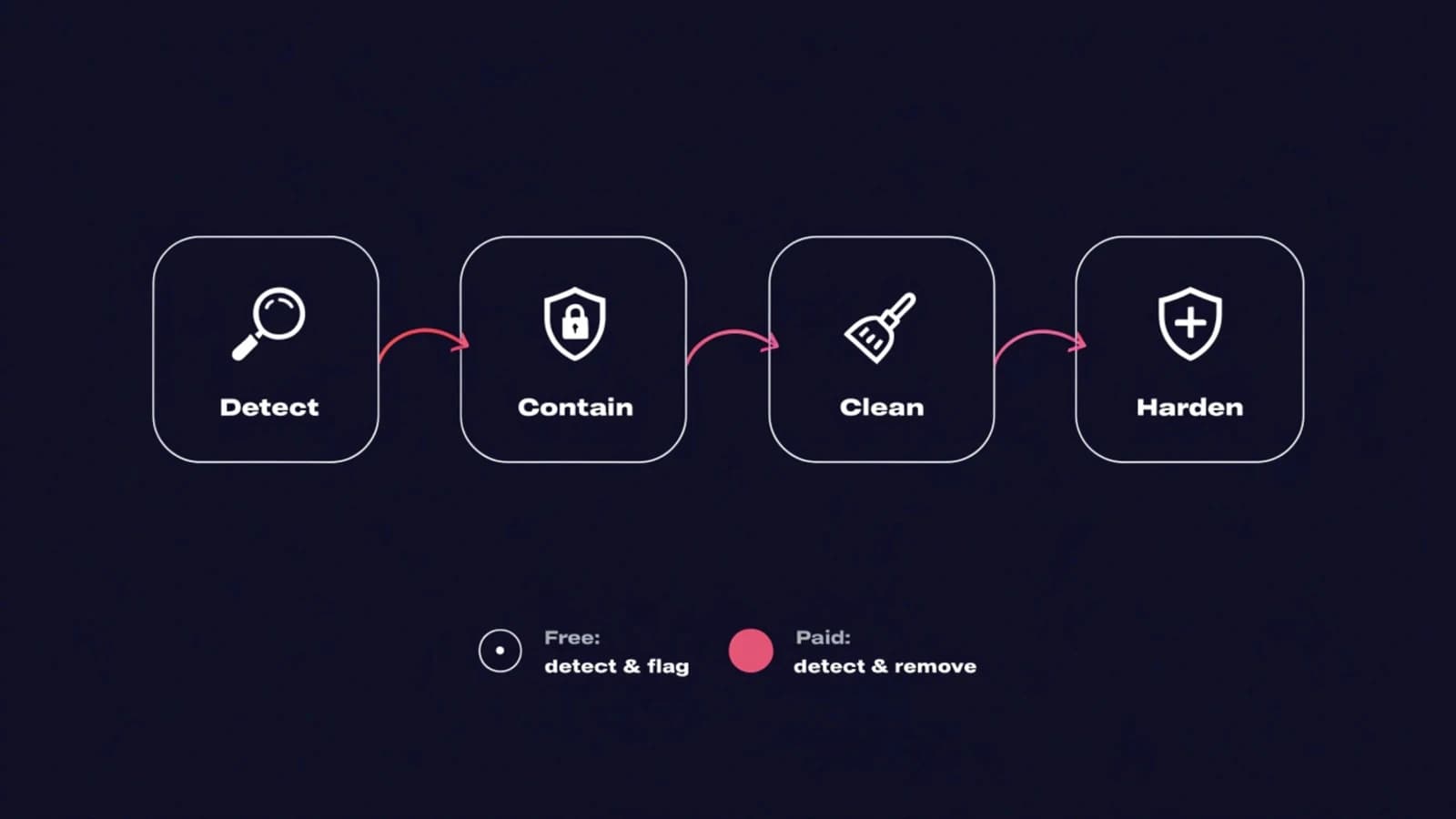
Per SiteLock's own initial-response steps, contain the damage before you start cleaning anything. Skipping containment, or leaving the entry point open, is why an infection keeps coming back after a surface-level fix.
- Take the site offline or into maintenance mode. This stops the malware spreading to visitors while you work.
- Change every password immediately: WordPress admin, FTP, database, and hosting control panel. A stolen password is the most common way an attacker gets back in after a cleanup.
- Scan with a real security plugin to identify every infected file, not just the obvious ones.
- Deactivate all plugins, then check files sorted by last-modified date for anything changed outside a normal update.
- Replace core files with clean copies from WordPress.org. Per Sucuri's own removal guide, reinstall any infected plugin or theme from a clean source too, rather than hand-editing infected code.
- Clean the database through phpMyAdmin, and check the Users screen for any admin account you did not create, both steps Sucuri's guide covers directly.
- Request a review through Google Search Console's Security Issues report and any other blocklist authority once the site is genuinely clean. Per Google's own documentation, reconsideration reviews commonly take several days to a few weeks, and a partial fix will not restore search visibility.
Free WordPress Malware Removal Plugins vs. a Paid Malware Removal Service
Free and paid options solve different parts of the same problem. Jetpack Protect includes real malware detection at no cost, and Wordfence's free tier is a genuinely popular scanner in its own right. What most free tiers do not do is clean an infection automatically. They detect and flag it, and removal is left to you.
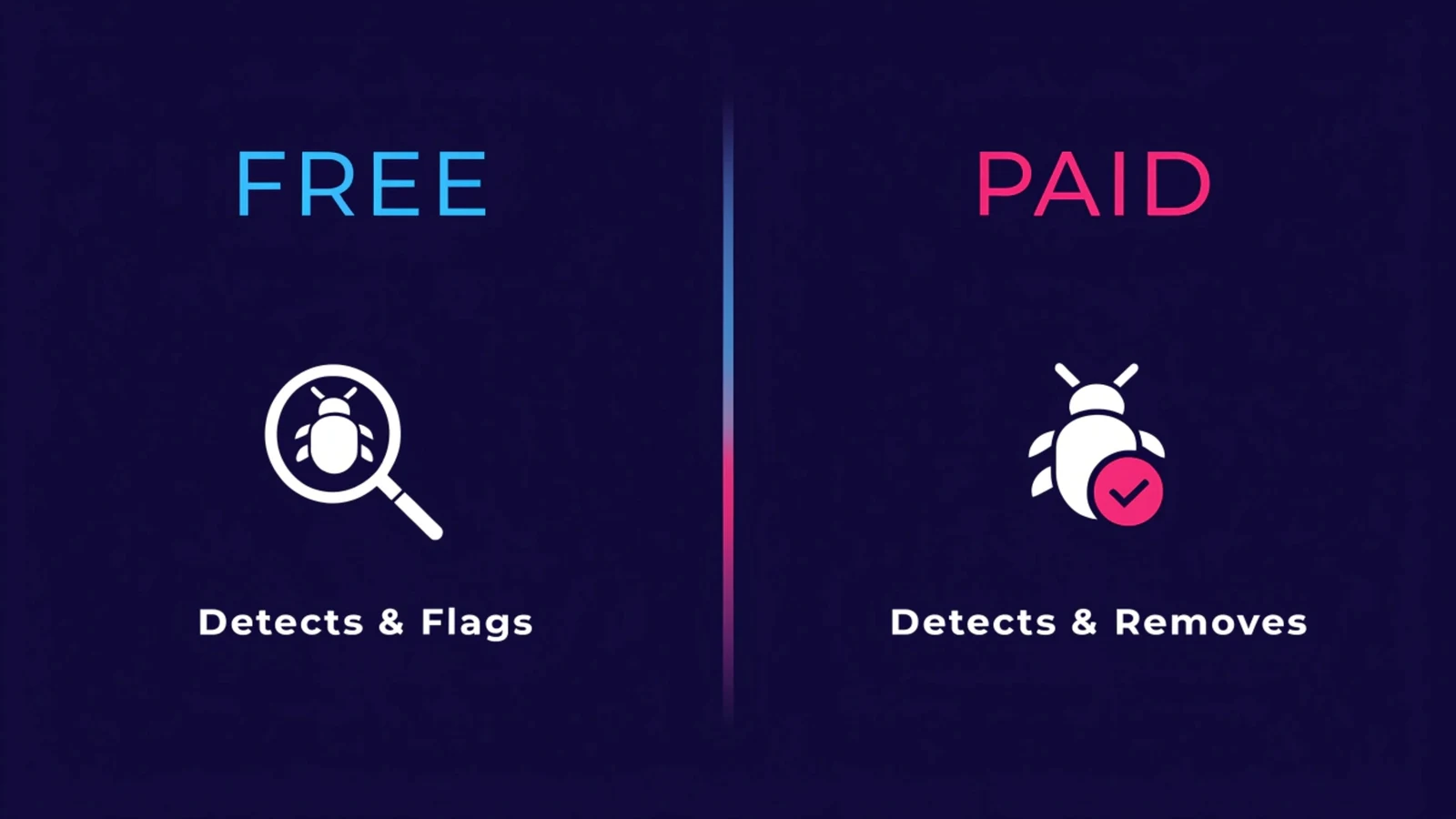
Paid tiers on Sucuri, MalCare, and Malcure add automated or human-assisted cleanup on top of detection. Sucuri's paid plans include unlimited manual cleanup from their own security team. Detection versus actual removal is the real reason to pay for a service rather than a free plugin, once a site is already infected. A free plugin is a good prevention layer. It is a weaker choice once malware is already on the site and you need it gone today.
What a Real WordPress Malware Cleanup Includes
Our own security monitoring and updates service treats a confirmed compromise as an immediate priority, not a queued ticket. We isolate the affected site and take an emergency snapshot first. Then we identify the entry point using server logs and scanner output from Wordfence or Malcare, the same tools referenced above. The malicious code is removed. If needed, we restore from the most recent clean backup instead of hand-cleaning a deeply embedded infection. Then we patch the specific vulnerability that let the attacker in, not just the symptom, and document what happened.
That last part matters more than it sounds. A cleanup that does not identify and close the actual entry point is not really finished. The same hole lets the same attacker, or the next one, back in within weeks. Malware removal is a reactive fix for one incident; our full WordPress maintenance breakdown covers the ongoing work, including uptime monitoring, that keeps an incident like this from happening in the first place.
WordPress Malware Removal Cost: What You Should Actually Pay
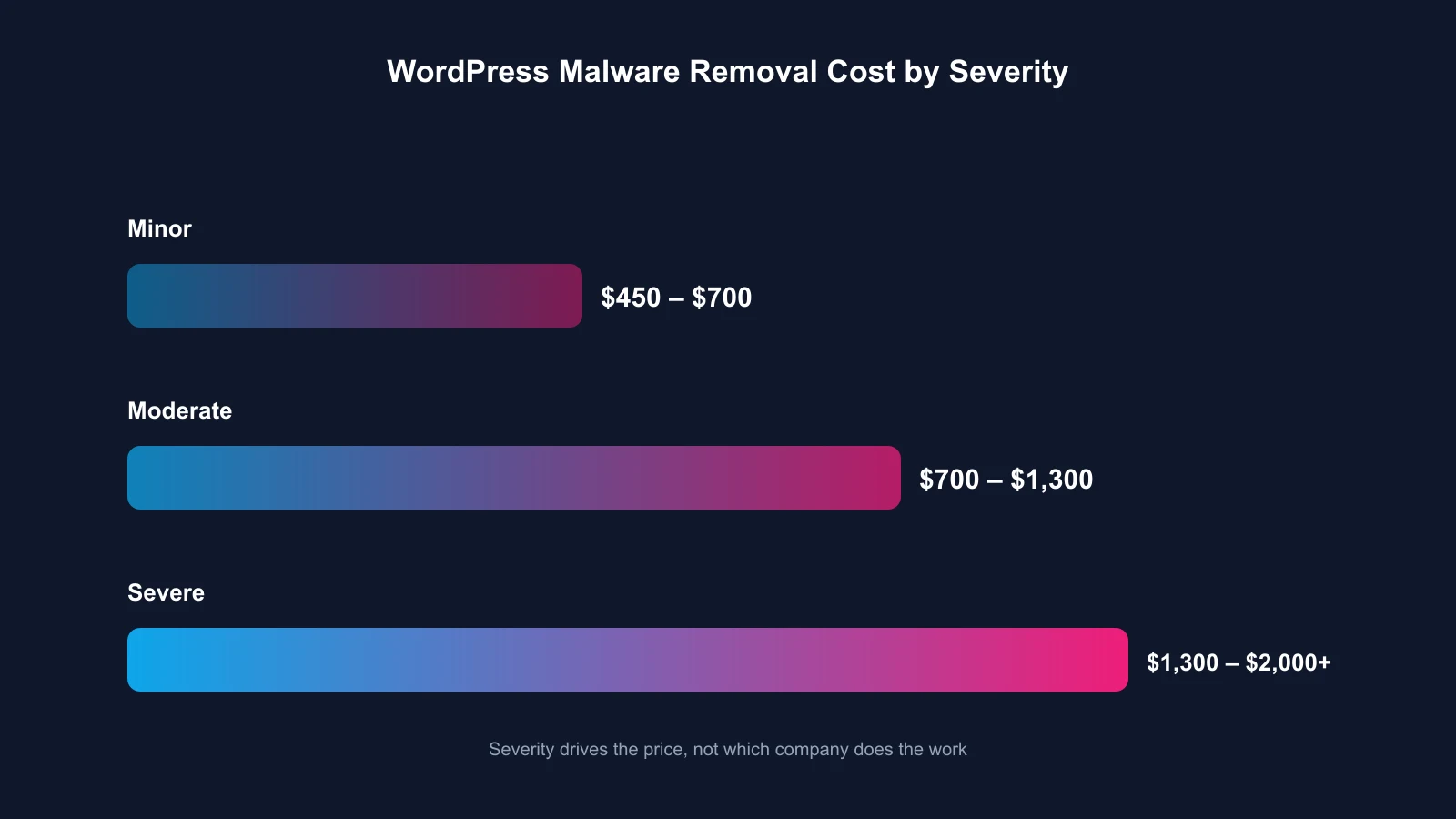
Real-world pricing runs from roughly $450 to $2,000 or more. Severity drives the number, not which company does the work. A simple injected-spam infection caught early costs far less than a deeply embedded backdoor that has sat undetected for months. As a rough guide: expect $450 to $700 for a minor, freshly-caught infection, $700 to $1,300 for a moderate infection touching multiple files, and $1,300 to $2,000 or more for a severe, long-standing compromise.
Treat an unusually cheap flat-rate quote as a red flag rather than a bargain. A real cleanup looks at your specific infection before naming a number. A $39 flat rate cannot honestly cover a backdoor that has sat undetected for three months. We quote WordPress malware removal the same way we quote everything else: a fixed number after we have actually looked at what is wrong, not before.
How to Prevent Malware From Coming Back
Cleanup without hardening is temporary. Outdated software with a known, published vulnerability is still the most common entry point, so update WordPress core, every plugin, and every theme. Enable two-factor authentication on every admin and editor account too, which closes off password-based takeover even if a password leaks. Staged updates, testing every update on a copy of the site before it goes live, catch conflicts before they become a live vulnerability. Continuous scanning catches a new infection within hours instead of weeks. Both of those belong to the ordinary WordPress management routine rather than to incident response, which is the point: the cheapest malware removal is the one you never have to do.